
Do You Actually Need to Pay for Speed?
It is the million-dollar question. Or at least, the $59-a-year question.
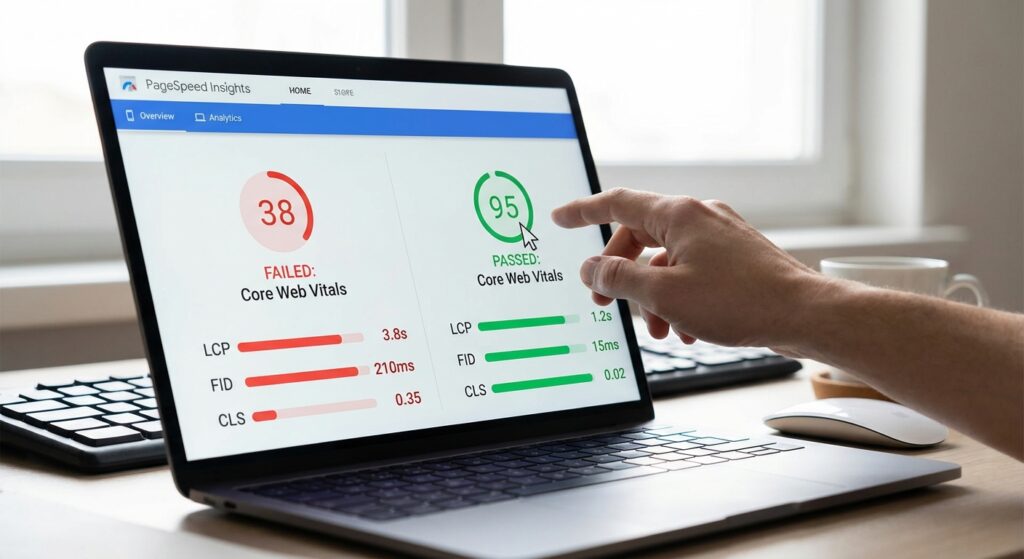
You want a faster WordPress site. You know Google hates slow pages. And you have definitely heard that speed is a ranking factor.
But here is where it gets messy.
Should you grab the free, popular Autoptimize plugin? Or should you open your wallet for WP Rocket?
I get asked this almost every day. And the answer isn’t just “it depends.” It comes down to one thing: How much do you value your time vs. your money?
In our tests at Infineural Technologies, we have seen both plugins achieve perfect 100/100 scores. But the path to get there? Completely different.
Let’s look at the real data. We are going to break down WP Rocket vs Autoptimize for Core Web Vitals to see which one actually moves the needle on LCP, INP, and CLS.
The Bottom Line Up Front (BLUF)
Don’t have time to read the full breakdown? Here is the cheat sheet.
- Choose WP Rocket if: You want a “set it and forget it” solution. You have a budget. You need to fix complex Core Web Vitals issues like Interaction to Next Paint (INP) without touching code. It is an all-in-one caching and optimization beast.
- Choose Autoptimize if: You are a developer or comfortable tinkering with settings. You have zero budget. Important: Autoptimize is not a caching plugin. You must pair it with a separate caching tool (like WP Super Cache or Cache Enabler) to get results comparable to WP Rocket.
For a deeper dive on the entire ecosystem of speed, check out our comprehensive pillar guide Optimizing WordPress for Core Web Vitals: The 2026 Speed Guide. It lays the foundation for everything we are discussing here.
The Core Web Vitals Reality Check
Google doesn’t care which plugin you use. They only care about the result.
When we talk about Core Web Vitals, we are looking at three specific metrics:
- Largest Contentful Paint (LCP): How fast the main content loads.
- Interaction to Next Paint (INP): How quickly the page reacts when you click something.
- Cumulative Layout Shift (CLS): Visual stability (does the page jump around?).
WP Rocket and Autoptimize handle these very differently.
WP Rocket: The Premium All-in-One
WP Rocket is effectively the “iPhone” of optimization plugins. It is polished. It works out of the box. And yes, it costs money.
But why is it so popular?
Because it addresses the hardest part of Core Web Vitals: JavaScript execution and Critical CSS.
Solving LCP with Critical CSS
Largest Contentful Paint is often killed by “render-blocking resources.” This means your site pauses to read a massive CSS file before showing the user anything.
WP Rocket automatically generates Critical CSS. It takes the CSS required for the top of your page, inlines it, and loads the rest later. It does this automatically for every post type.
In our experience, this single feature can drop LCP times by 30-40% instantly. No coding required.
Crushing INP with Delayed Execution
Since Google replaced FID with INP (Interaction to Next Paint), JavaScript has become the enemy. If your site is busy loading chat widgets or tracking scripts, it won’t respond when a user clicks a button.
WP Rocket has a feature called “Delay JavaScript Execution.” It is aggressive. It stops all scripts from running until the user actually moves their mouse or touches the screen.
The result? Your CPU stays quiet. Your INP score stays green.
If you are struggling specifically with heavy page builders, you might want to read our guide on Fixing Largest Contentful Paint on WordPress Elementor, where WP Rocket often plays a huge role.
Autoptimize: The Developer’s Swiss Army Knife
Now, let’s talk about Autoptimize. It has over 1 million active installs for a reason.
But there is a massive misconception here.
Autoptimize is NOT a caching plugin.
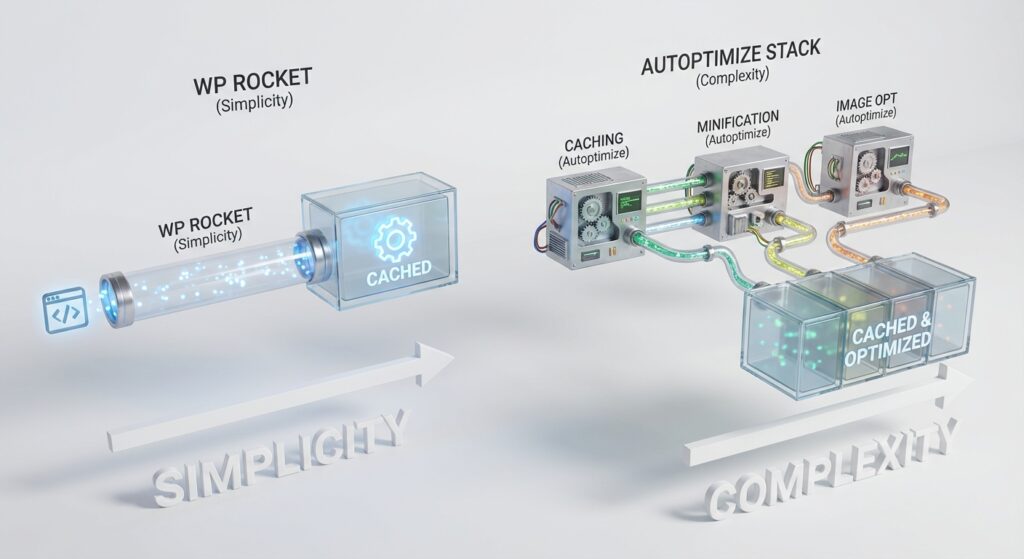
Read that again. WP Rocket handles page caching (saving a static HTML version of your site). Autoptimize does not. It is purely for file optimization—minifying and aggregating your HTML, CSS, and JS.
The “Stack” Strategy
To make Autoptimize compete with WP Rocket, you have to build a “stack.” You cannot use it alone.
A common free stack looks like this:
- Caching: WP Super Cache or W3 Total Cache.
- File Optimization: Autoptimize.
- Image Optimization: Smush or EWWW Image Optimizer.
Does it work? Absolutely. Can you get a 100/100 score? Yes.
But you have to configure three different plugins. You have to ensure they don’t conflict. And if an update breaks one, you have to troubleshoot the stack.
Where Autoptimize Shines
Autoptimize gives you granular control. You can manually exclude specific JS files from being aggregated. You can force CSS into the head of the document.
For developers who want to surgically remove bloat, this is fantastic. If you want to see other tools that pair well here, check our list of the Best WordPress Plugins for Core Web Vitals 2026.
Head-to-Head Comparison
Let’s look at the features side-by-side.
1. Ease of Use
WP Rocket: You install it. You check a few boxes. You are done. It even applies recommended settings automatically upon activation.
Autoptimize: You need to know what you are doing. If you accidentally aggregate a script that shouldn’t be moved, you will break your site’s functionality (like your checkout page or mobile menu).
2. Critical CSS Generation
WP Rocket: Included and automatic.
Autoptimize: Not included in the free version. You have to sign up for a separate service (criticalcss.com) and integrate it, or pay for their premium add-on.
3. Lazy Loading
WP Rocket: Built-in for images, iframes, and videos.
Autoptimize: Used to be separate, now includes some lazy load features, but often works better when paired with a dedicated plugin like “Autoptimize Image Optimization” (separate addon).
4. Database Cleanup
WP Rocket: Built-in. You can schedule weekly cleanups of post revisions and spam comments.
Autoptimize: Does not do this.
The Hidden “HTTP/2” Issue
Here is a technical detail most blogs miss.
Autoptimize was built in an era when combining all your CSS files into one big file was the gold standard. It reduced “HTTP requests.”
But today, most servers use HTTP/2 or HTTP/3. These protocols can download many small files simultaneously. Sometimes, creating one giant CSS file (which Autoptimize does by default) is actually slower than loading several small ones, because the browser has to wait for the whole big file to download before rendering.
WP Rocket is smarter here. It handles file delivery in a way that aligns better with modern server protocols. If you use Autoptimize, you often have to uncheck “Aggregate CSS” to avoid this bottleneck, which defeats half the purpose of the plugin.
My Personal Recommendation
Look, I love free tools. I built my career on finding high-ROI strategies that don’t cost a fortune.
But when it comes to client sites at Infineural Technologies, we almost exclusively deploy WP Rocket.
Why?
Support cost.
If I save $59 on a plugin but spend 3 hours debugging a JavaScript conflict in Autoptimize, I have actually lost money. Your time is worth more than $20 an hour.
However, if you are running a simple blog, have zero budget, and want to learn how the web works? Use the Autoptimize stack. It is a great learning experience.
Key Takeaways
- WP Rocket is a complete performance solution (Caching + Optimization).
- Autoptimize is strictly for file optimization and needs a caching partner.
- LCP improves faster with WP Rocket due to automatic Critical CSS.
- INP is easier to fix with WP Rocket’s Delay JS Execution feature.
- Time vs. Money: Autoptimize costs time; WP Rocket costs money.
Frequently Asked Questions
Can I use WP Rocket and Autoptimize together?
Technically, yes, but you shouldn’t. They overlap on minification and lazy loading. Using both usually causes conflicts that break your site layout. Stick to one.
Does Autoptimize speed up mobile?
Yes, by reducing file sizes, it helps mobile devices download your site faster. However, without caching (which it lacks), the server response time (TTFB) on mobile won’t improve much.
Is WP Rocket free?
No, there is no free version. They offer a 14-day refund policy, but it is a premium-only tool.
Does Autoptimize fix CLS?
It can help by adding dimensions to images, but it is less effective at fixing font-related layout shifts compared to WP Rocket’s font preloading.
What is the best free alternative to WP Rocket?
The combination of WP Super Cache (for caching) + Autoptimize (for file minification) is the classic free alternative.
Will these plugins break my site?
Aggressive settings (like removing unused CSS or combining JS) can break sites. Always test in a staging environment first or backup your site.
How do I check my Core Web Vitals?
Use Google PageSpeed Insights or check the “Core Web Vitals” report in your Google Search Console.
Does WP Rocket work with Elementor?
Yes, perfectly. It is one of the best ways to speed up Elementor sites by deferring the heavy JS files Elementor loads.
Ready to Pass Core Web Vitals?
Speed is not just a vanity metric. It is directly tied to your revenue. A fast site ranks better and converts better.
If you are tired of guessing which settings to tweak, or if your developer is ghosting you on speed issues, we can help.
At Infineural Technologies, we specialize in green scores and green revenue charts.
Get a Free Speed Audit Today and let’s make your site fly.