

It’s 7 AM on a Tuesday. You grab your coffee. You open your laptop to check the morning’s sales. You navigate to your company’s website.
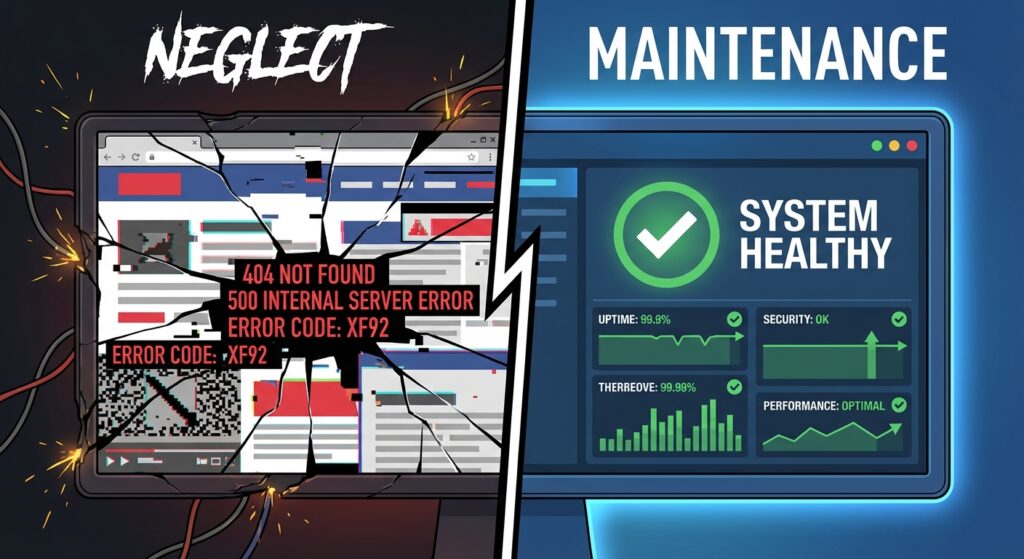
But instead of your homepage, you see a white screen. Or a browser error: “This site can’t be reached.”
Panic sets in. This isn’t just a tech glitch. It is lost revenue. It is a damaged reputation. And it happens to thousands of business owners every single day.
The culprit usually isn’t a targeted attack by a super-hacker. It is neglect. Without a proactive WordPress maintenance service, your website is like a house with unlocked doors. It’s not a matter of if something goes wrong, but when.
WordPress powers over 43% of the internet. It is powerful and user-friendly. But that popularity makes it a target. In this guide, we will break down why ongoing maintenance is the most important investment you can make for your business security and growth.
What Exactly is a WordPress Maintenance Service?
Let’s keep it simple. A WordPress maintenance service is a team of experts who manage the technical health of your site so you don’t have to.
Think of it like servicing your car. You change the oil to prevent the engine from seizing. You rotate the tires to stay safe on the road. Your website needs the same care.
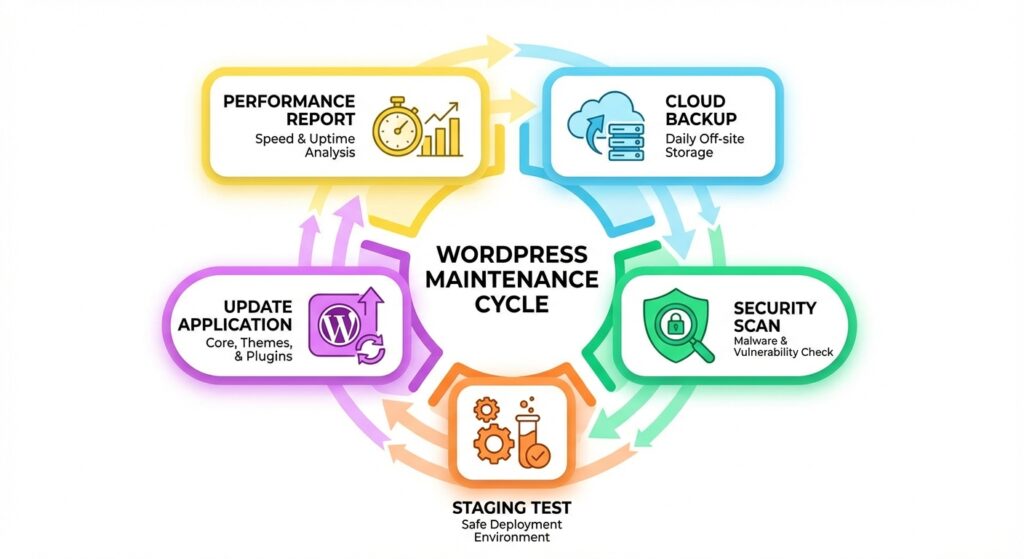
But it goes beyond just clicking “update.” A real maintenance plan includes:
- Off-Site Backups: Creating copies of your site stored separately from your server.
- Safe Updates: Testing plugin and theme updates before they go live.
- Security Scans: Checking for malware and vulnerabilities daily.
- Performance Tuning: Ensuring your site loads fast for better SEO.
- Uptime Monitoring: Watching your site 24/7 to ensure it is online.
It is the digital equivalent of a security guard and a mechanic rolled into one.
The High Cost of “Doing Nothing”
Ignoring maintenance is a gamble. The odds are not in your favor. You might save a few dollars a month by doing it yourself, but the risks are massive.
Here are the seven biggest dangers of the “set it and forget it” approach.
1. You Become a Prime Target for Hackers
This is the number one threat. Did you know that 90% of hacked CMS sites in 2023 were WordPress? This isn’t because WordPress is weak. It is because people fail to update it.
Hackers use bots. These bots scan millions of sites looking for outdated plugins. When a developer releases a security patch, they are telling the world, “Here is a hole we found.”
If you don’t update immediately, you are inviting them in. Common attacks include:
- Malware Injections: Stealing customer data or credit card info.
- SEO Spam: Injecting links to illegal sites on your pages.
- Ransomware: Locking you out of your site until you pay up.
For a deeper look at security protocols, read our API Security Best Practices Guide.
2. Your Website Speed Plummets
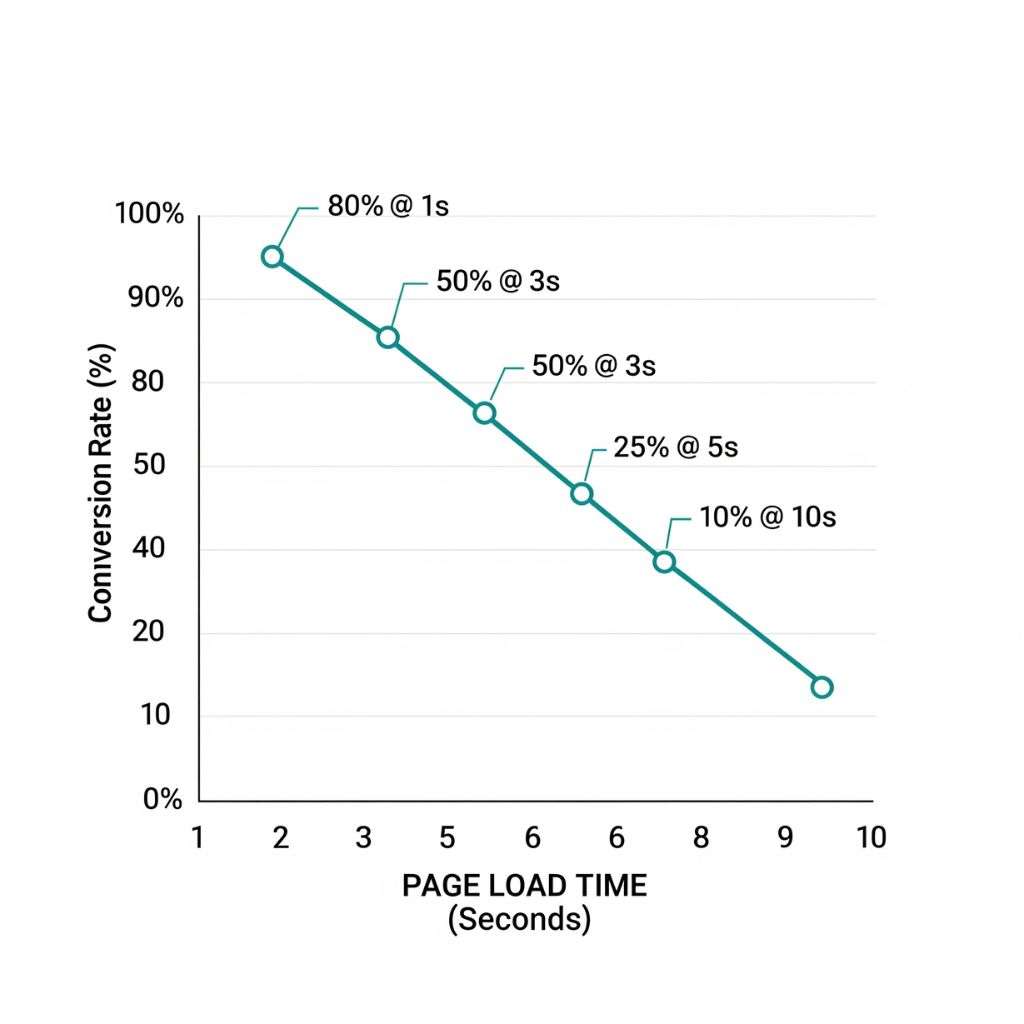
Google hates slow websites. Users hate them even more. A one-second delay in page load can reduce conversions by 7%.
Over time, WordPress sites get clogged. Post revisions pile up. Spam comments fill the database. Large images slow down rendering.
Without maintenance, your database becomes bloated. This hurts your Core Web Vitals, which are key ranking factors. If you are struggling with load times, check out our guide on How to Fix LCP Web Vitals.
3. You Risk Catastrophic Data Loss
Imagine losing everything. Every blog post. Every product image. Every customer order.
It happens. Servers crash. Updates fail. Hackers delete files. Most hosting companies offer backups, but they are often stored on the same server as your site. If the server goes down, your backup goes down with it.
A professional service keeps backups in the cloud (like Amazon S3). This ensures redundancy. You can restore your site in minutes, not days.
4. Your User Experience Suffers
Broken links. Forms that don’t submit. Images that don’t load. These are small issues, but they kill trust.
When a visitor sees a broken site, they assume your business is broken too. They leave. They go to your competitor. Regular maintenance catches these glitches before your customers do.
5. Your Brand Reputation is on the Line
Have you ever clicked a link and seen a red screen from Google saying “This site may be hacked”? You clicked ‘Back’ immediately, right?
If that happens to your site, your reputation tanks. Cleaning up a hacked site is expensive. Cleaning up your reputation is even harder.
6. Emergency Repairs Are Expensive
A maintenance plan is a predictable monthly cost. It fits in your budget.
An emergency fix? That is a different story. Security experts charge premium rates for emergency malware removal. It can cost thousands of dollars for a single incident. Plus, you lose revenue for every hour your site is offline.
7. Compatibility Issues
The web changes fast. PHP versions update. Browsers change how they render code. If your theme or plugins are old, they will eventually break.
For example, running an old version of PHP is a major security risk. But upgrading it might break an old plugin. You need an expert to manage these transitions. Learn more about database management in our article on Upgrading MariaDB on CWP.
The Proactive Solution: What We Do
So, what does a quality plan look like? At Infineural Technologies, we don’t just update plugins. We engineer reliability.
Here are the core pillars of our service:
- 🛡️ Security Hardening: We implement firewalls and limit login attempts. We stop attacks before they start.
- 🔄 Staging & Testing: We never update your live site blindly. We test updates on a staging server first. This ensures nothing breaks for your customers.
- ☁️ Cloud Redundancy: We backup your files and database to secure cloud storage daily.
- ⚡ Speed Optimization: We configure caching, compress images, and clean your database. We help you pass Google’s Core Web Vitals assessments.
- 📈 Reporting: You get a monthly report. You see exactly what we did, what we blocked, and how your site is performing.
DIY vs. Professional: Is It Worth It?
You might be thinking, “I can do this myself.” Sure, you can. But what is your time worth?
The DIY Route:
- Pros: No monthly fee.
- Cons: It takes hours of your time. You need technical skills. If an update breaks your site, you have to fix it. You lack enterprise-grade security tools.
The Professional Route:
- Pros: You save time. You get expert support. Your site is faster and safer. You have peace of mind.
- Cons: A monthly investment.
For serious businesses, the choice is obvious. The cost of a maintenance plan is tiny compared to the revenue lost from a single day of downtime.
Your website is an asset. It should generate leads, not anxiety. At Infineural Technologies, we handle the tech so you can handle the business.
We act as your strategic partner. We monitor your analytics and ensure your tracking is working correctly. (Need help with that? Check our guide on Google Analytics Integration).
We treat your site like our own. We prevent problems before they happen. This gives you the freedom to focus on marketing, sales, and growth.
Frequently Asked Questions
1. Do I really need a maintenance plan if my hosting includes backups?
Yes. Hosting backups are often basic and stored on the same server. We provide redundant, off-site cloud backups and active security monitoring that hosts rarely offer.
2. Will maintenance speed up my website?
Absolutely. We optimize databases, compress images, and configure caching. This directly improves your Core Web Vitals and SEO rankings.
3. What happens if an update breaks my site?
If you are with us, this rarely happens because we test on a staging site first. If a live issue occurs, we fix it immediately at no extra cost.
4. How often do you backup my site?
We perform daily backups of your database and files. In the event of a crash, we can restore your site to its state from less than 24 hours ago.
5. Can you handle WooCommerce sites?
Yes, we specialize in WooCommerce. We ensure checkout processes run smoothly and customer data remains secure.
6. Do you provide reports?
Yes, you receive a detailed monthly report. It outlines updates performed, security threats blocked, and uptime statistics.
7. Is there a contract?
We believe in earning your business every month. Our plans are typically month-to-month, giving you flexibility.
8. How do I get started?
Simply contact us for a site audit. We will review your current security and performance status for free.
Stop Worrying and Start Growing
Your website is too valuable to leave to chance. Neglecting maintenance is not saving money. It is accumulating technical debt.
Be proactive. Invest in a professional WordPress maintenance service. Turn your website from a liability into a high-performing engine for growth.
Ready to secure your digital future?
Contact Infineural Technologies today. Let’s make your website fast, secure, and profitable.
