Do you want to know the fastest way to kill your SEO traffic?
Have a slow website.

It sounds harsh. But Google doesn’t care about your feelings. It cares about user experience. And in 2026, that means Core Web Vitals. If your site takes three seconds to load, you’ve already lost half your audience. They hit the back button. They go to your competitor. You lose money.
It is that simple.
But here is the problem. WordPress is heavy. Out of the box, it is bloated. You install a theme, add a page builder, throw in some tracking codes, and suddenly your site crawls. You need the right tools to fix this. Not just any tools. The best WordPress plugins for Core Web Vitals 2026 offers.
In our work at Infineural Technologies, we have audited thousands of sites. We see the same mistakes over and over. People install five caching plugins thinking more is better. It’s not. It breaks things.
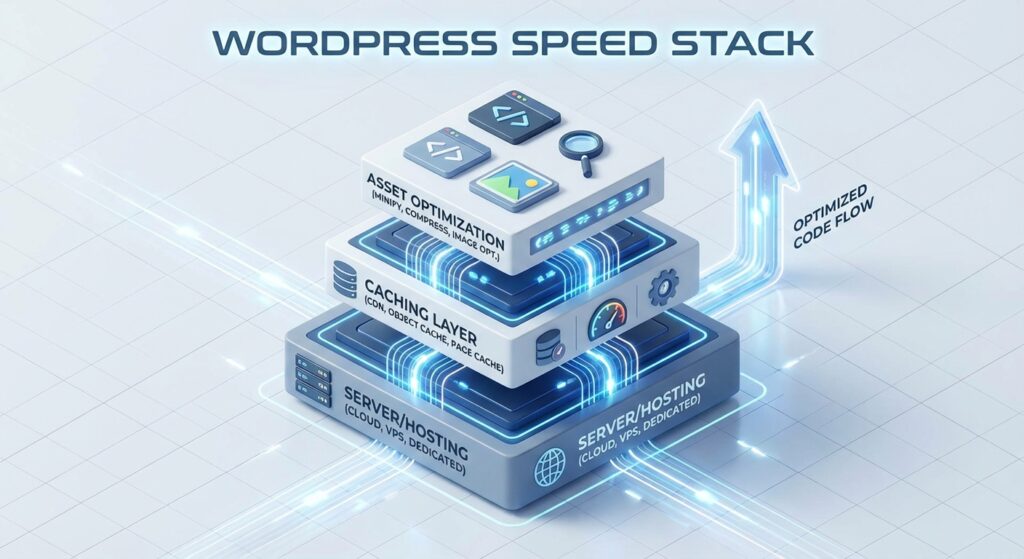
You need a stack. A precise combination of plugins that handle caching, asset optimization, and database health without conflict.
Before you start downloading zip files, you need to understand the strategy behind the speed. We wrote the playbook on this. Check out our comprehensive resource: Optimizing WordPress for Core Web Vitals: The 2026 Speed Guide. That is your foundation. This post? This is your toolbox.
The 3 Metrics That Actually Matter
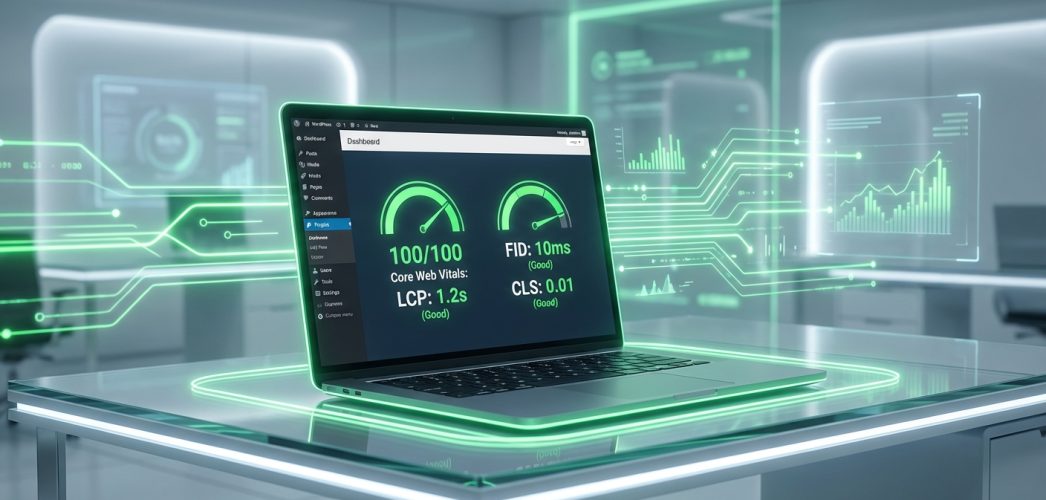
Forget the vanity metrics. A 100/100 score on PageSpeed Insights is nice, but does it translate to revenue? Sometimes. But passing Core Web Vitals is mandatory for ranking.
You are fighting three battles here:
- LCP (Largest Contentful Paint): How fast the main content loads. If this is slow, users think the site is broken.
- INP (Interaction to Next Paint): This replaced FID. It measures responsiveness. When a user clicks a button, does the site freeze? Or does it react?
- CLS (Cumulative Layout Shift): Visual stability. Does the text jump around while reading? That is annoying. And Google hates it.
The plugins below are selected specifically to target these three areas.
1. WP Rocket: The Gold Standard for Caching
I will be honest. I love free stuff. But sometimes, you get what you pay for. WP Rocket is the best caching plugin on the market. Period.
Why?
Because it doesn’t just cache pages. It handles the heavy lifting that usually requires a developer. It applies 80% of web performance best practices the moment you activate it.
How It Fixes CWV:
- LCP Boost: It automatically generates Critical CSS. This makes the visible part of your site load instantly while the rest loads in the background. It also offers "Lazy Load" for images and iframes.
- INP Improvement: This is the big one for 2026. WP Rocket has a feature called "Delay JavaScript Execution." It prevents heavy scripts (like chat widgets or tracking pixels) from running until the user actually moves their mouse. This clears up the main thread and makes the site feel instant.
We use this on 90% of the sites we manage at Infineural. It just works. If you are struggling with fixing LCP Web Vitals, this is your first step.
2. Perfmatters: The Bloat Remover
WP Rocket makes your site fast. Perfmatters makes your site light.
Think of WordPress like a car. WP Rocket is the turbo engine. Perfmatters is stripping out the heavy backseats, the spare tire, and the air conditioning to make the car lighter.
Most themes load scripts on every single page, even if they aren’t used. Contact Form 7 loads its assets on your homepage. Why? You don’t have a form there. It is wasted code.
Perfmatters allows you to use a "Script Manager." You can visually toggle off scripts on a per-page basis.
Why You Need It:
- Disable Emojis & Dashicons: WordPress loads extra code for emojis by default. Do you need them? Probably not. Disable them. Save the request.
- Limit Post Revisions: This keeps your database clean.
- Preloading: You can explicitly tell the browser to preload your logo or hero image. This significantly improves LCP.
We often pair Perfmatters with WP Rocket. They play nice together. In fact, using them together is one of our top strategies for fixing LCP in WordPress Elementor sites, which are notoriously heavy.
3. FlyingPress: The Modern Contender
If you don’t want to pay for WP Rocket, or you want something built with a more modern architecture, look at FlyingPress.
Gijo Varghese, the developer, is a performance obsessionist. He built this plugin because he wasn’t satisfied with existing solutions. It handles caching, CSS, and JS optimization, but it does it differently.
It creates static HTML files and serves them directly. But its standout feature is how it handles "bloat." It removes unused CSS automatically. Not just generating critical CSS, but actually stripping out the junk code that your theme adds but doesn’t use.
Is it better than WP Rocket? It is neck and neck. For some heavy Elementor sites, we have seen FlyingPress edge out the competition on mobile scores.
4. ShortPixel or Imagify: Image Optimization is Non-Negotiable
You cannot have a fast site with 4MB images. You just can’t.
I see this all the time. A client uploads a photo straight from their iPhone. It is 5000 pixels wide. The user is viewing it on a mobile screen that is 400 pixels wide. That is a massive waste of bandwidth.
You need an image optimization plugin that does three things:
- Compress: Reduces file size without losing quality (Lossy or Lossless).
- Resize: Automatically scales down massive uploads.
- WebP/AVIF Conversion: Serves next-gen formats which are significantly lighter than JPEGs or PNGs.
ShortPixel is fantastic because it uses advanced algorithms to crunch data. Imagify is great because it integrates seamlessly with WP Rocket (same developers). Both offer AVIF support, which is the standard for 2026.
Images are the biggest driver of poor LCP scores. Fix your images, and you fix half your problems.
5. NitroPack: The Controversial All-In-One
Okay, let’s talk about NitroPack.
Some SEOs hate it. They call it "cheating." Why? Because it heavily delays JavaScript to give you a perfect 100/100 score on Google PageSpeed Insights.
But does it work? Yes. Absolutely.
NitroPack is a SaaS solution. It doesn’t just run on your server; it uses its own CDN and optimization engine. It takes a copy of your site, optimizes it on their cloud, and serves the static version to your visitors. It is incredibly fast.
The Downside? It can be expensive. And sometimes, the heavy JavaScript delay can make the site feel slightly unresponsive for the first split-second (hurting INP if not tuned correctly). But if you have a content-heavy site and you don’t want to mess with configurations, NitroPack is the nuclear option.
6. Asset CleanUp: For the Control Freaks
If Perfmatters is a scalpel, Asset CleanUp is a laser. It gives you granular control over every single file that loads on your site.
It scans your page and lists every CSS and JS file detected. You can then unload them based on logic:
- "Unload on all pages"
- "Unload on this page only"
- "Unload if user is logged in"
This is technically an "information gain" insight that most blogs miss: Caching hides the mess; Asset CleanUp removes the mess.
If you remove the bloat, the browser has less to parse. This directly improves Interaction to Next Paint (INP). The CPU on the user’s phone doesn’t have to work as hard. This is vital for mobile SEO.
Warning: You can break your site if you don’t know what you are doing. Don’t unload jquery.js unless you are 100% sure you don’t need it. Always test in a staging environment.
7. OMGF (Optimize My Google Fonts)
Google Fonts are beautiful. They are also slow.
By default, WordPress fetches fonts from Google’s servers. This adds DNS lookups and connection delays. It also causes CLS (Cumulative Layout Shift) when the font swaps from a generic system font to your fancy Google font.
OMGF downloads the fonts to your local server and serves them from there. No external requests. It also allows you to preload the font files, which helps with LCP. It automatically sets the font-display: swap property to ensure text remains visible during loading.
This is a small plugin, but it solves a very specific headache.
The "Free" Stack for Budget Conscious Owners
Can you pass Core Web Vitals for free? Yes. It takes more work. You have to configure everything manually. But it is possible.
Here is the free stack we recommend:
- Caching: W3 Total Cache or WP Super Cache. (Steep learning curve, but powerful).
- Image Optimization: Smush (Free version has limits, but works).
- Asset Management: Asset CleanUp (Free version is very generous).
- Database: WP-Optimize.
Just remember, time is money. You might save $50 a year on plugins, but spend 20 hours debugging settings. Is that a good trade? Probably not.
Common Pitfalls in 2026
It’s not just about installing plugins. It’s about how you use them.
1. Over-optimizing JavaScript:
Delaying execution is great. But if you delay everything, your mobile menu might not open when a user clicks it immediately. That hurts INP. You need to exclude essential interaction scripts from the delay list.
2. Ignoring Hosting:
Plugins cannot fix a slow server. If you are on $3/month shared hosting, no amount of WP Rocket magic will save you. You need a host that supports PHP 8.2+, HTTP/3, and server-level caching. Look into managed WordPress hosting.
3. The CDN Myth:
A CDN (Content Delivery Network) is vital, but it’s not a magic wand. You need to ensure your CDN is serving images via WebP and caching HTML at the edge (Cloudflare APO is a game changer here).
Why You Need a Holistic Approach
Plugins are tools. They are not the strategy. You need to look at your website as an ecosystem.
If you are running a WooCommerce store, your needs are different from a blog. A store needs dynamic cart fragments to update instantly. A blog can cache everything aggressively.
For complex setups, you need to understand the underlying mechanics. For example, knowing what is a REST API can help you debug why your admin panel is slow (which often correlates with frontend performance).
Similarly, tracking your results is essential. You need to be setting up conversion tracking to see if your speed improvements are actually boosting sales. If speed goes up but sales stay flat, you have a UX problem, not a speed problem.
FAQ: Core Web Vitals Plugins
Q: Can I use two caching plugins at the same time?
No. Never do this. They will conflict, causing your site to break or load older versions of pages. Choose one (e.g., WP Rocket) and stick with it.
Q: Is NitroPack bad for SEO?
No. Google can render the JavaScript. As long as the content the user sees matches what the bot sees, you are fine. Just ensure the user experience is actually fast, not just the score.
Q: How do I fix CLS specifically?
Most CLS issues are caused by images without dimensions. Ensure your image optimizer or theme adds width and height attributes. Also, reserve space for ads.
Q: Does deleting plugins speed up my site?
Yes and no. It depends on the plugin. Deleting a heavy plugin like a page builder add-on helps. Deleting a lightweight plugin like "Classic Editor" won’t make a difference. Use Query Monitor to see which ones are slow.
Q: Why is mobile score always lower than desktop?
Mobile devices have weaker processors (CPUs) and rely on slower 4G/5G networks. Google simulates a mid-range Motorola phone for testing. You have to optimize for that, not your high-end iPhone.
Q: What is the best image format for 2026?
AVIF. It offers better compression than WebP. Most modern browsers support it. Make sure your plugin provides a fallback for older browsers.
Q: How does video affect Core Web Vitals?
Videos are heavy. Never auto-play videos above the fold if you care about LCP. Always lazy load videos and use a placeholder image.
Q: Do I need a developer to pass Core Web Vitals?
Not necessarily. With tools like WP Rocket and Asset CleanUp, you can solve 95% of issues. For the last 5% (complex layout shifts or custom JavaScript issues), you might need an expert.
The Bottom Line
Speed is not a luxury. It is a requirement. The digital world is noisy. You have seconds to capture attention. Don’t let a spinning wheel be the reason you lose a customer.
Start with the basics. Get good hosting. Install WP Rocket. Optimize your images. Strip the bloat.
But if you are tired of guessing? If you want a team that eats, sleeps, and breathes performance to handle it for you?
Let’s talk.
At Infineural Technologies, we build high-performance web solutions that rank. Don’t let your competitors outrun you. Reach out today.